
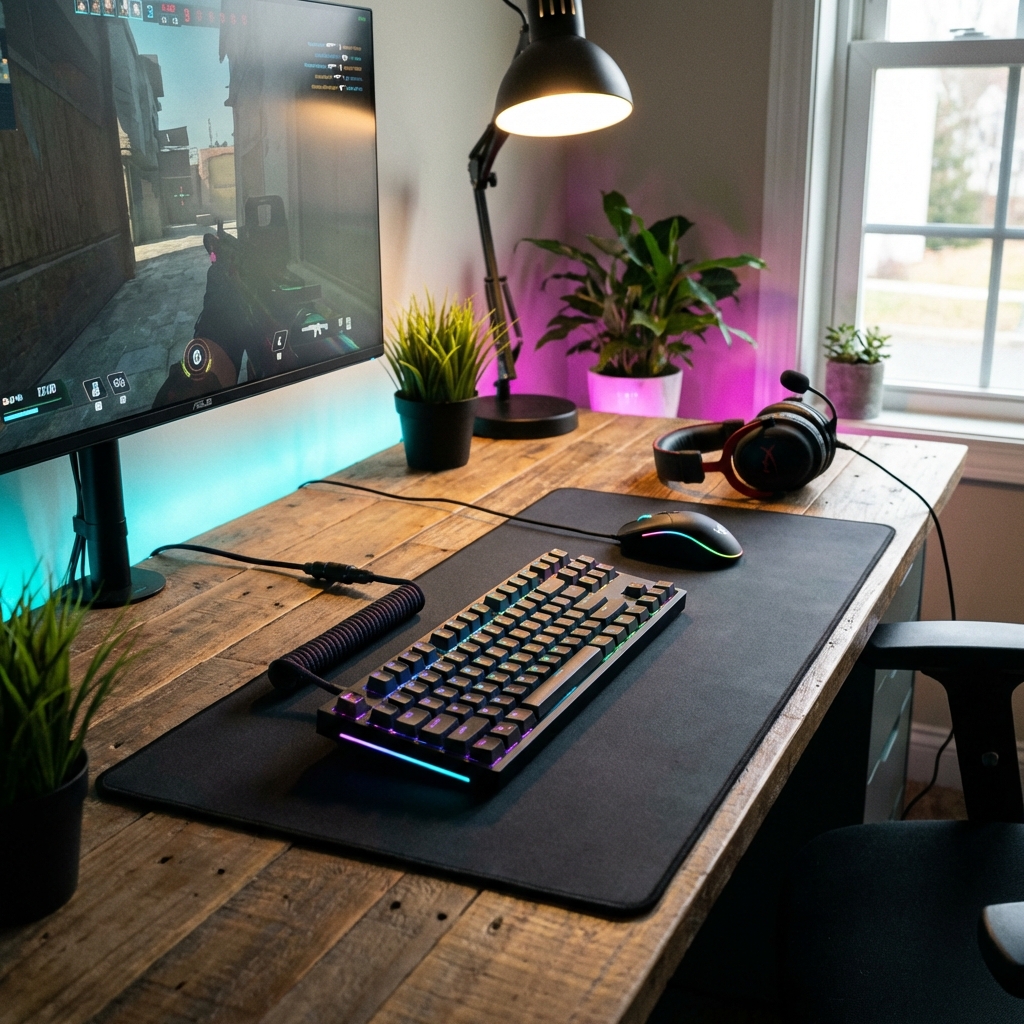
Building a high-performance gaming setup doesn't mean you have to empty your savings account. In 2026, the gap between "budget" and "premium" peripherals has narrowed significantly thanks to fierce competition among manufacturers. You can now find high-precision sensors, genuine mechanical switches, and immersive audio at price points that were impossible just a few years ago.
Whether you're a student building your first rig, a casual gamer looking to upgrade from office peripherals, or a competitive player on a budget, this guide will help you maximize performance per dollar. We've tested dozens of products and scoured thousands of reviews to find the hidden gems that punch way above their weight class.
1. Gaming Mice: Precision on a Budget
Your mouse is your primary weapon in any game. The good news? Sensor technology has become so commoditized that even $30 mice now feature flawless tracking. In this price range, look for sensors like the PixArt 3327, 3335, or better, and reliable switches rated for 20+ million clicks (Omron, Huano, or Kailh).
Top Picks:
- Logitech G305 Lightspeed ($39-49): Often dipping under $50 on sale, this is the undisputed king of budget wireless. It uses the same Hero sensor as Logitech's flagship models, offers 250-hour battery life on a single AA, and has zero input lag. The only downside is the slightly dated design, but performance-wise, it's unbeatable.
- Razer Viper Mini ($29-39): Perfect for smaller hands and claw grippers. At just 61 grams, it's incredibly light and features optical switches that are faster and more durable than traditional mechanical ones. The 8500 DPI sensor is more than enough for any game.
- SteelSeries Rival 3 ($29): A solid all-rounder with decent RGB lighting and a comfortable ergonomic shape that suits most grip styles. The TrueMove Core sensor is reliable, and the build quality is surprisingly good for the price.
- Glorious Model O- ($39-49): If you want an ultra-lightweight honeycomb design without spending $80, this is your mouse. At 58 grams, it's feather-light and perfect for low-sensitivity FPS players.
Pro Tip: Don't fall for the "20,000 DPI" marketing. Most pro gamers use 400-1600 DPI. Focus on sensor quality, weight, and shape instead.
2. Mechanical Keyboards: Tactile Feel for Less
Gone are the days when mechanical keyboards cost $150+. You can now get genuine mechanical switches under $50 if you know where to look. The trade-off is usually a plastic chassis instead of aluminum and no software customization, but the typing and gaming feel remains vastly superior to membrane boards.
Best Budget Boards:
- Redragon K552 KUMARA ($34-42): The go-to budget tank. It's tenkeyless (TKL), saving precious desk space, and built like a brick. The generic blue switches are loud and clicky (great for typing, annoying for roommates), but you can also get it with quieter red switches. It's been the #1 bestseller for years for good reason.
- Royal Kludge RK61 ($39-55): A fantastic 60% wireless board that frequently goes on sale. The killer feature? It's hot-swappable, meaning you can pop out the switches and replace them later without soldering. This future-proofs your purchase. Available in Bluetooth and 2.4GHz wireless.
- Keychron C1 ($45-49): If you want a full-size board with a numpad, this is your best bet. It comes with Gateron switches (smoother than generic blues/reds) and has Mac/Windows compatibility. The wired-only design keeps costs down.
- GMMK Compact ($49): Glorious PC Gaming Race's entry-level board. Hot-swappable, compact 60% layout, and comes barebones (you add your own switches and keycaps) or pre-built. Great for enthusiasts who want to customize later.
Switch Guide: Red = Linear/quiet (gaming), Brown = Tactile bump (all-purpose), Blue = Clicky/loud (typing). If you're unsure, go with browns.
3. Gaming Headsets: Audio Awareness Matters
Sound is information. Hearing enemy footsteps before they see you can be the difference between winning and losing. Budget headsets have improved massively in recent years, especially in comfort and microphone quality. While you won't get studio-grade audio, these options are more than sufficient for competitive gaming.
Top Audio Picks:
- HyperX Cloud Stinger 2 ($39-49): Lightweight at 275g, with plush memory foam ear cups that don't cause fatigue during marathon sessions. The flip-to-mute mic is convenient, and the audio profile is slightly bass-heavy, which enhances immersion in action games. Works on PC, PlayStation, Xbox, and Switch.
- Razer BlackShark V2 X ($49): Offers excellent passive noise isolation thanks to thick ear cushions. Comes with THX 7.1 Spatial Surround software (PC only) that genuinely helps with directional audio in games like Valorant and CS2. The microphone is surprisingly clear for this price point.
- Corsair HS35 ($34-39): Discord-certified microphone (meaning it's actually good), comfortable for glasses wearers, and available in stereo or virtual 7.1. The 50mm drivers deliver punchy bass without muddying mids.
- SteelSeries Arctis 1 ($49): The baby brother of the legendary Arctis 7. Same comfortable ski-goggle headband design, detachable mic, and a surprisingly balanced sound signature. Available in wired or wireless (2.4GHz dongle).
Headset vs. Headphones + Mic: If you already have a decent mic (or use your webcam mic), consider buying studio headphones like the Philips SHP9500 ($75) or Samson SR850 ($35) instead. They often sound better than gaming headsets at the same price.
4. The Unsung Hero: Mousepads
Don't put that nice new mouse on a bare wooden desk or a random piece of fabric. A proper gaming mousepad provides consistent surface friction for precise aiming and protects your mouse's feet from wear.
- SteelSeries QcK ($10-15): It's legendary for a reason. This cloth pad has been the esports standard for over a decade. Cheap, durable, machine-washable, and provides a perfect balance of speed and control. Get the medium (320x270mm) or large (450x400mm) size.
- Razer Gigantus V2 ($15-20): A textured cloth surface that's slightly faster than the QcK. The XXL version (940x410mm) covers your entire desk, so you never run out of space during low-DPI flicks.
- Corsair MM300 Extended ($20-25): Another desk mat option with stitched edges to prevent fraying. The anti-slip rubber base is thicker than most, so it stays put even during intense gaming.
Hard vs. Cloth: Hard pads (plastic/glass) are faster and easier to clean but can be loud and wear down mouse feet faster. Cloth pads are quieter, more comfortable, and offer better control. For most gamers, cloth is the way to go.
5. Bonus: Budget Monitors (If You Can Stretch to $100-150)
If you have a bit more budget, a 144Hz monitor is the single best upgrade for competitive gaming. The difference between 60Hz and 144Hz is night and day. Look for:
- AOC 24G2 ($149-179): 24" 1080p 144Hz IPS panel. Excellent colors, wide viewing angles, and FreeSync/G-Sync compatible.
- ASUS VP249QGR ($139-159): Similar specs to the AOC but often cheaper. Slightly worse stand but same great panel.
What to Avoid
- Fake "Gaming" Branding: If a brand only exists on Amazon and has a name like "ZXTECH ULTRA PRO GAMING," it's probably rebranded AliExpress junk. Stick to known brands.
- Membrane "Mechanical-Feel" Keyboards: These are just mushy membrane boards with stiffer springs. Get a real mechanical board instead.
- USB Hubs Marketed as "Gaming Hubs": They're just regular USB hubs with RGB lights at 3x the price.
Final Buying Tips
- Wait for Sales: Amazon Prime Day, Black Friday, and back-to-school sales can drop these prices by 20-40%. Set up price alerts.
- Check Used Markets: Peripherals hold value poorly. You can often find barely-used gear on Facebook Marketplace or r/hardwareswap for 50% off retail.
- Prioritize Mouse > Headset > Keyboard: If you can only afford one upgrade, get the mouse first. It has the biggest impact on gameplay.
Conclusion
You don't need to spend $200 on a keyboard or $150 on a mouse to reach the top of the leaderboard. Brands are fiercely competing in the budget space, which is a huge win for gamers. The accessories listed here are used by millions of players worldwide, including many semi-pro and amateur competitive gamers.
Remember: gear can give you an edge, but skill matters more. A pro player with a $30 mouse will still destroy a beginner with a $150 mouse. That said, there's no reason to handicap yourself with terrible peripherals when great ones are this affordable.
Find the Best Deals Instantly
Stop searching manually. Tell our AI precisely what you need, and we'll find the best prices in real-time.
Ask AI to Find Gaming Gear